
Carrier Configuration
Configure brand, volumetric limits, print formats, tracking status mapping, and pickup rules for a logistics carrier.
What You Can Do
- Edit the carrier display name, logo, and brand color
- Review the carrier's services and open any service's configuration
- Set volumetric factor, box/pallet weight limits, tracking delay, and VAT inclusion
- See which carrier actions (API capabilities) are active
- Add label print formats and mark one as default
- Map the carrier's tracking codes to Envia shipment statuses
- Set pickup fee, daily limit, same-day flag, and per-weekday pickup windows
- Open the changelog for this carrier
Getting There
- Open Paqueterías (
/carriers) - On a carrier row, click Detalles
- The page is
/carriers/:id. Breadcrumb returns to the list.
The header stays fixed. Navigation pills scroll to each section:
| Section | Purpose |
|---|---|
| Services | Nested services of this carrier |
| Volumetric | Factor, weight limits, tracking delay, include VAT |
| Actions | Read-only list of carrier capabilities (active / inactive) |
| Print formats | Label types and sizes; one default |
| Tracking mapping | Carrier status code → Envia status |
| Pickup rules | Fee, daily limit, same-day, schedule per weekday |
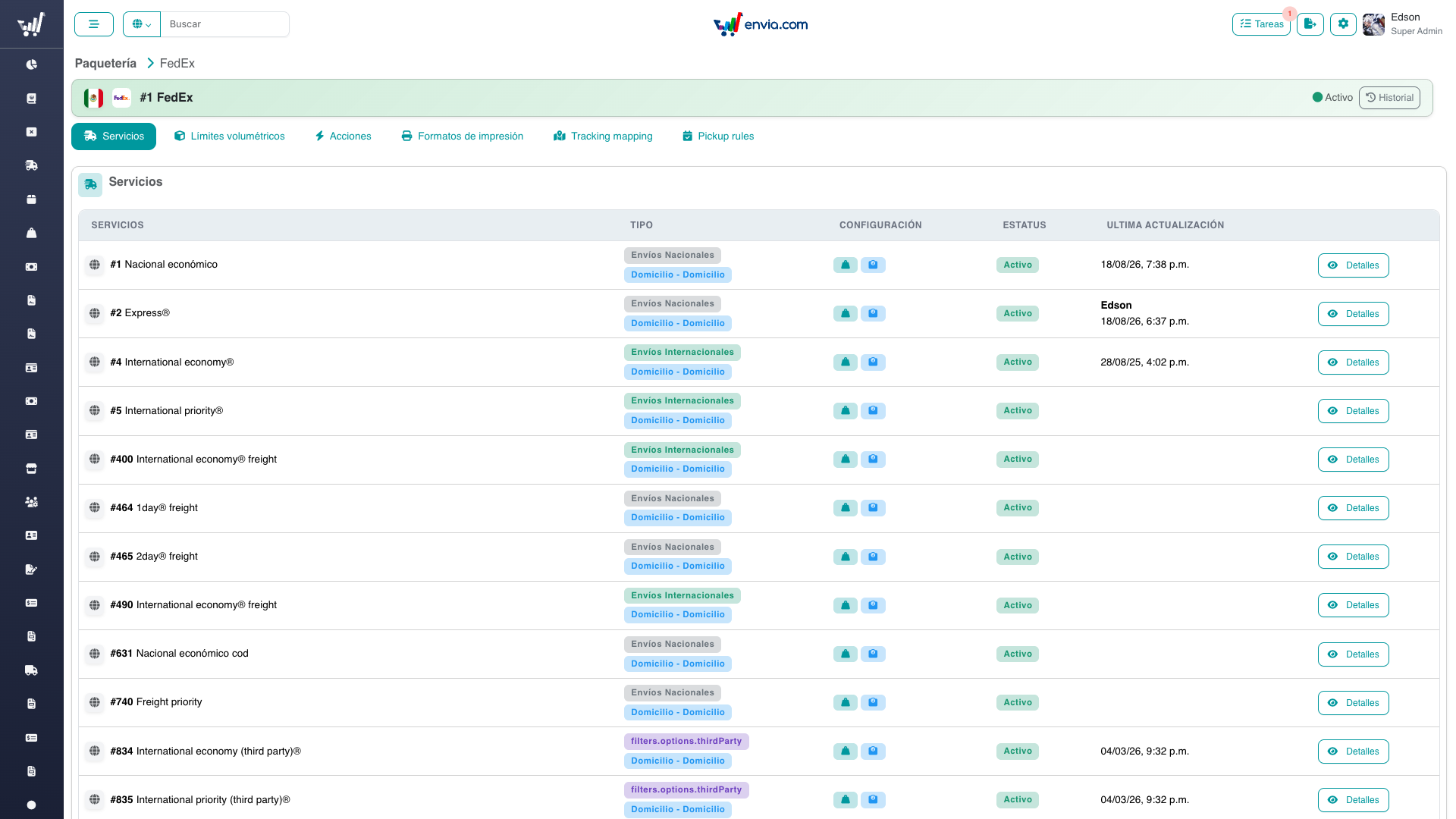
FedEx (/carriers/1): breadcrumb, brand header, the six pills, and the Services table with Detalles to open a service.
Common Tasks
Editing name, logo, or color
Requires carriers-manage-brand.
- In the header, click the pencil next to the name, or use the brand editor on the logo.
- Save. Color tints the header. Logo uploads go to S3 (max 2 MB).
Service display names on the service page use the same permission (description-only patch).
Opening a service from the carrier
- Scroll to Services.
- Click Detalles on a row →
/carriers/:id/service/:service.
Setting volumetric limits
Requires carriers-manage to save. services-menu is enough to view.
- Open the Volumetric section.
- Set:
- Box weight / Pallet weight (kg, optional)
- Volumetric factor (required; from the catalog)
- Track limit and Tracking delay (minutes)
- Include VAT
- A preview shows
(30 × 25 × 20) / factorfor the saved catalog factor. - Save.
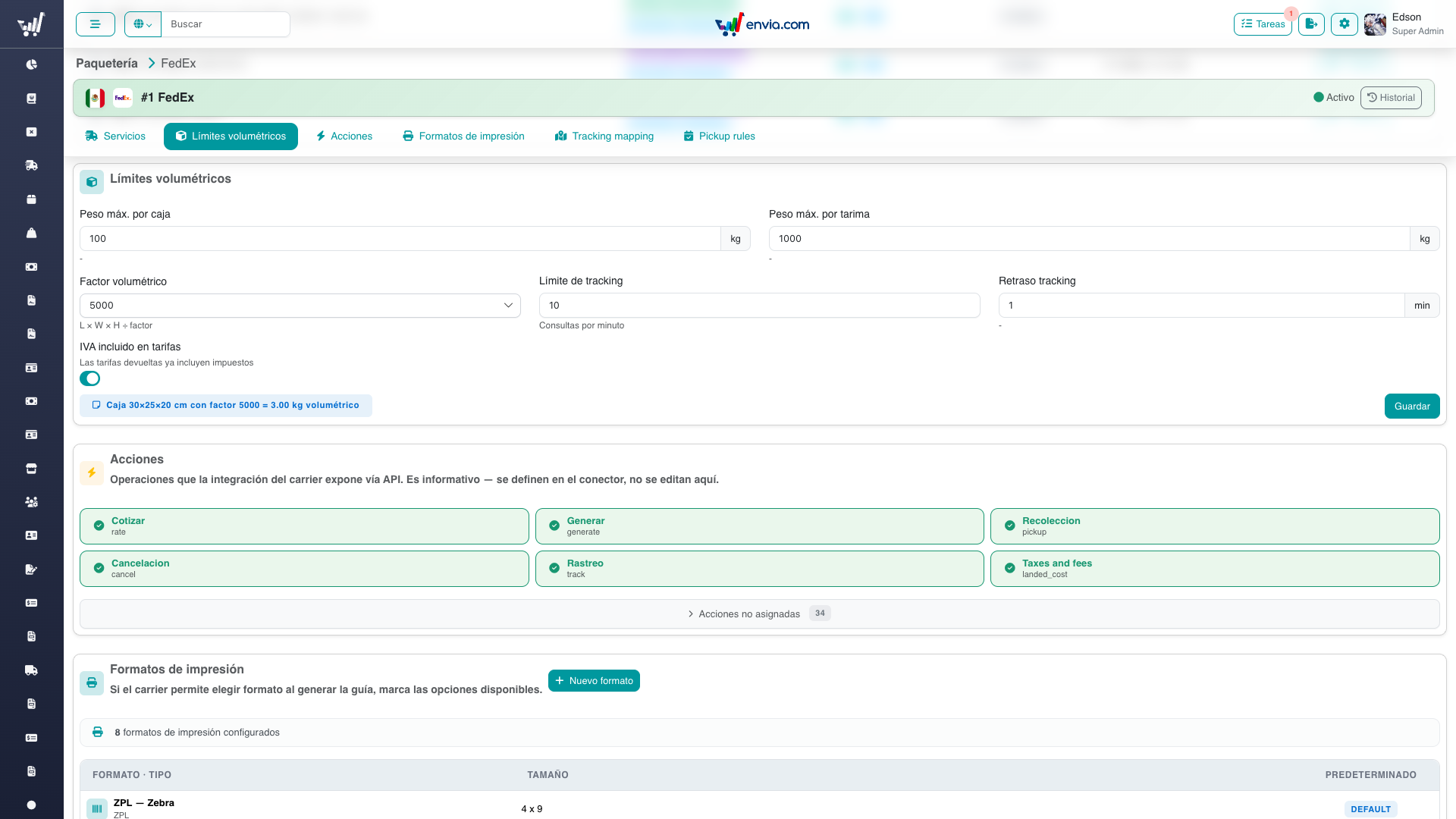
Carrier-wide limits: box/pallet weight, volumetric factor, tracking rate limit, delay, and include VAT.
Service-level volumetric factor (price book / quoting) is still edited on the service page. This section is the carrier-wide default and limits.
Reviewing actions
Actions is read-only. Active capabilities show as green cards; inactive ones sit in a collapsed list. There is no edit control here.
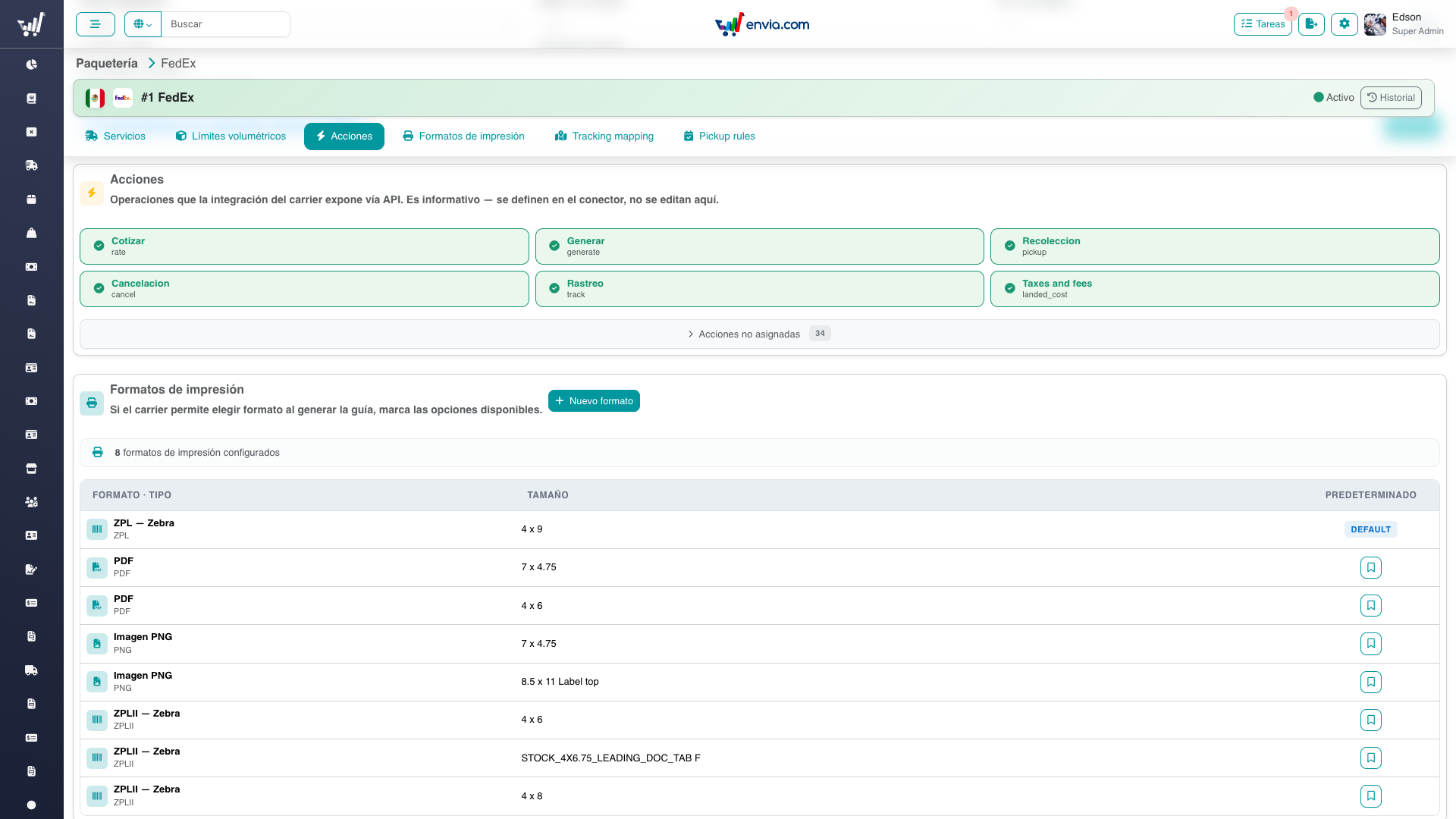
Active capabilities (quote, generate, pickup, cancel, track, landed cost). Unassigned actions stay in the collapsed list.
Managing print formats
Requires carriers-manage to create or set default.
- Open Print formats.
- Click create, pick type and size from the catalog, optionally mark as default.
- Set default on an existing row when needed.
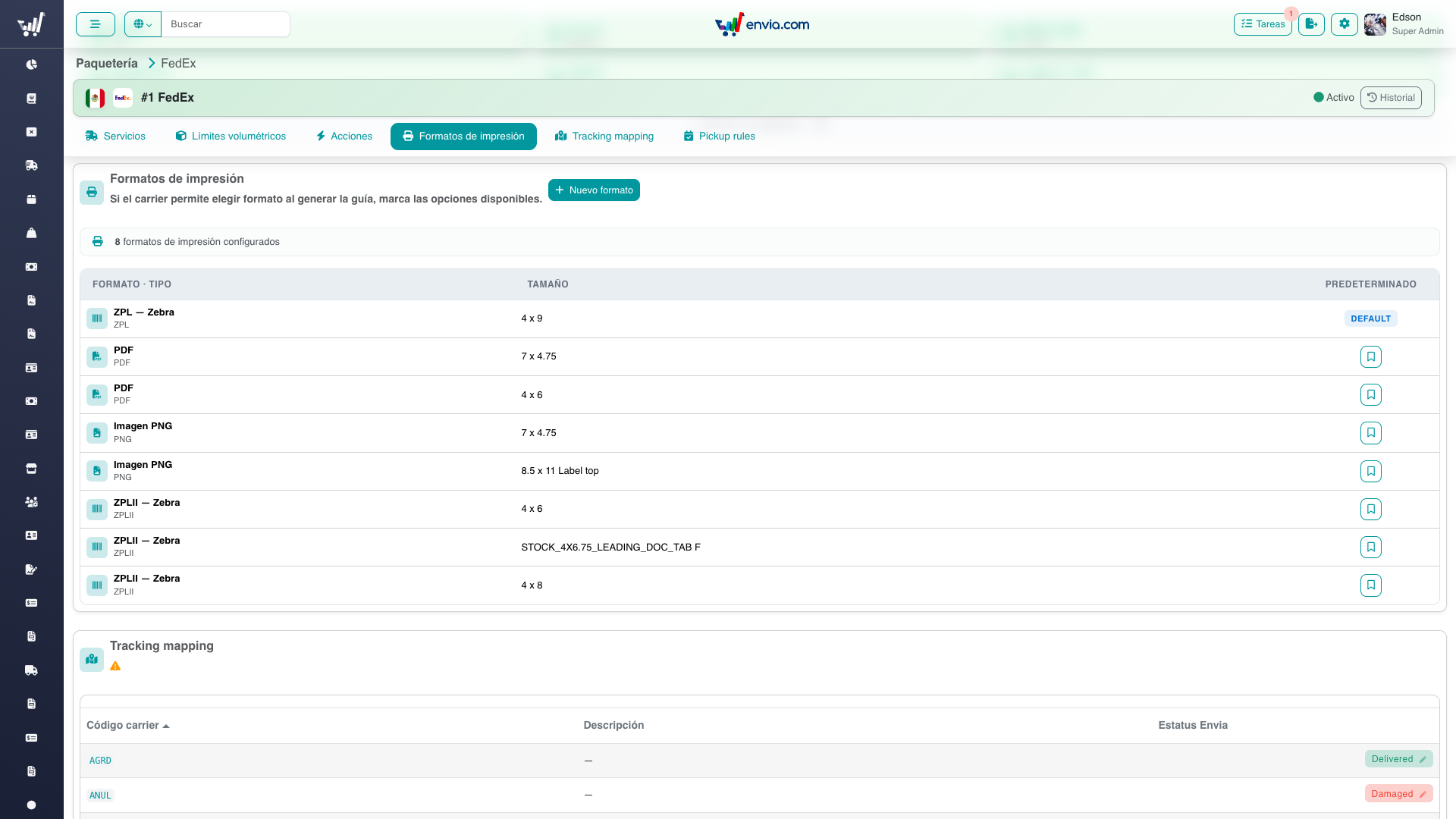
Label types and sizes; one row marked DEFAULT.
Mapping tracking statuses
Requires carriers-manage to change a mapping.
- Open Tracking mapping.
- Each row is a carrier status code and description.
- Click the Envia status (or Assign) and confirm the change.
shipment_status_idmay be cleared (unassigned).
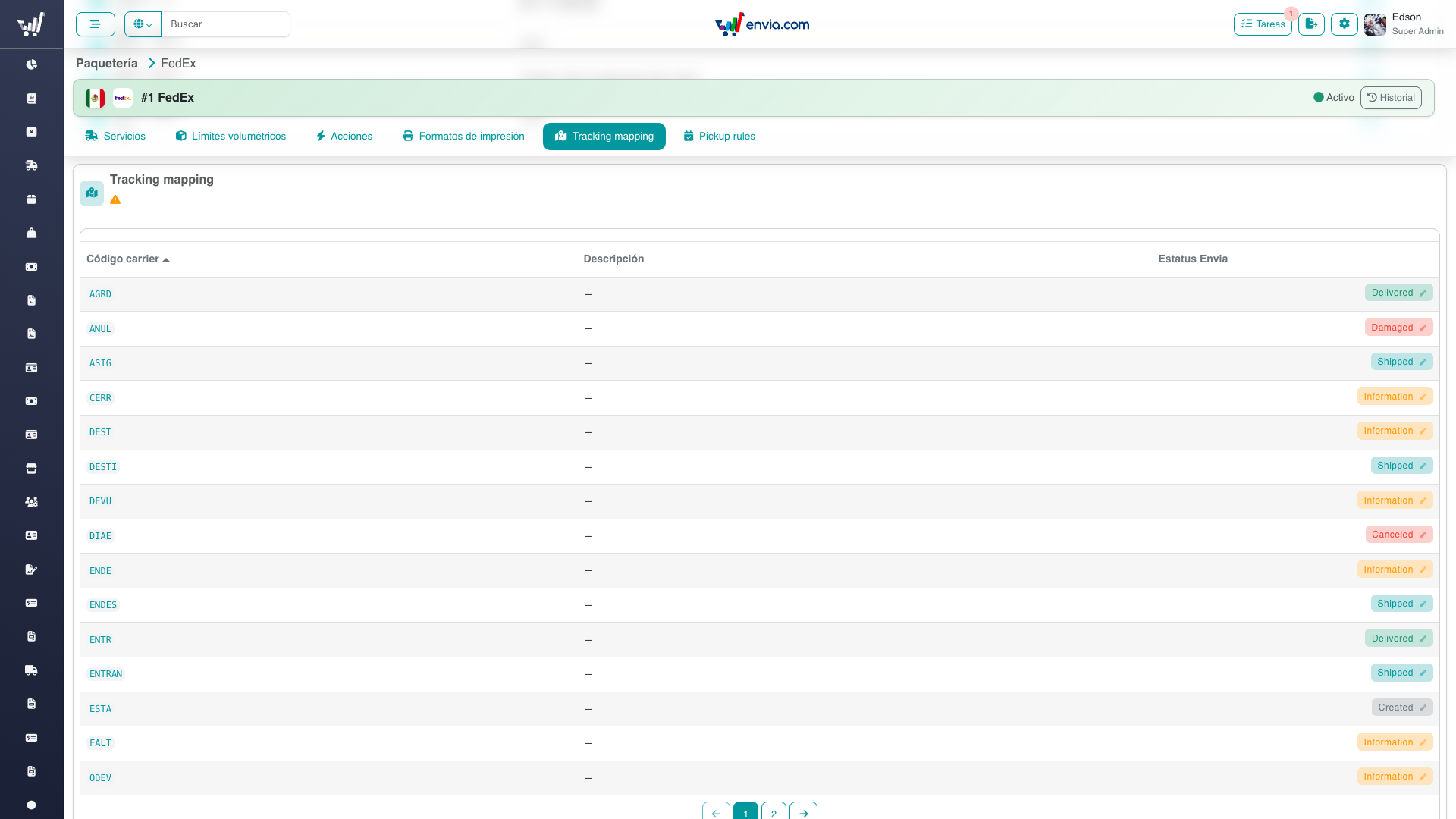
Carrier status → Envia status. Click the Envia pill (or Assign) to change a mapping.
Configuring pickup rules
Requires carriers-manage to save.
Carrier settings (top form): pickup fee, daily pickup limit, same-day allowed.
Per weekday (table, days 1–7): start/end hour, optional hour limit and span, same-day flag. Assign or disable a day from the row actions.
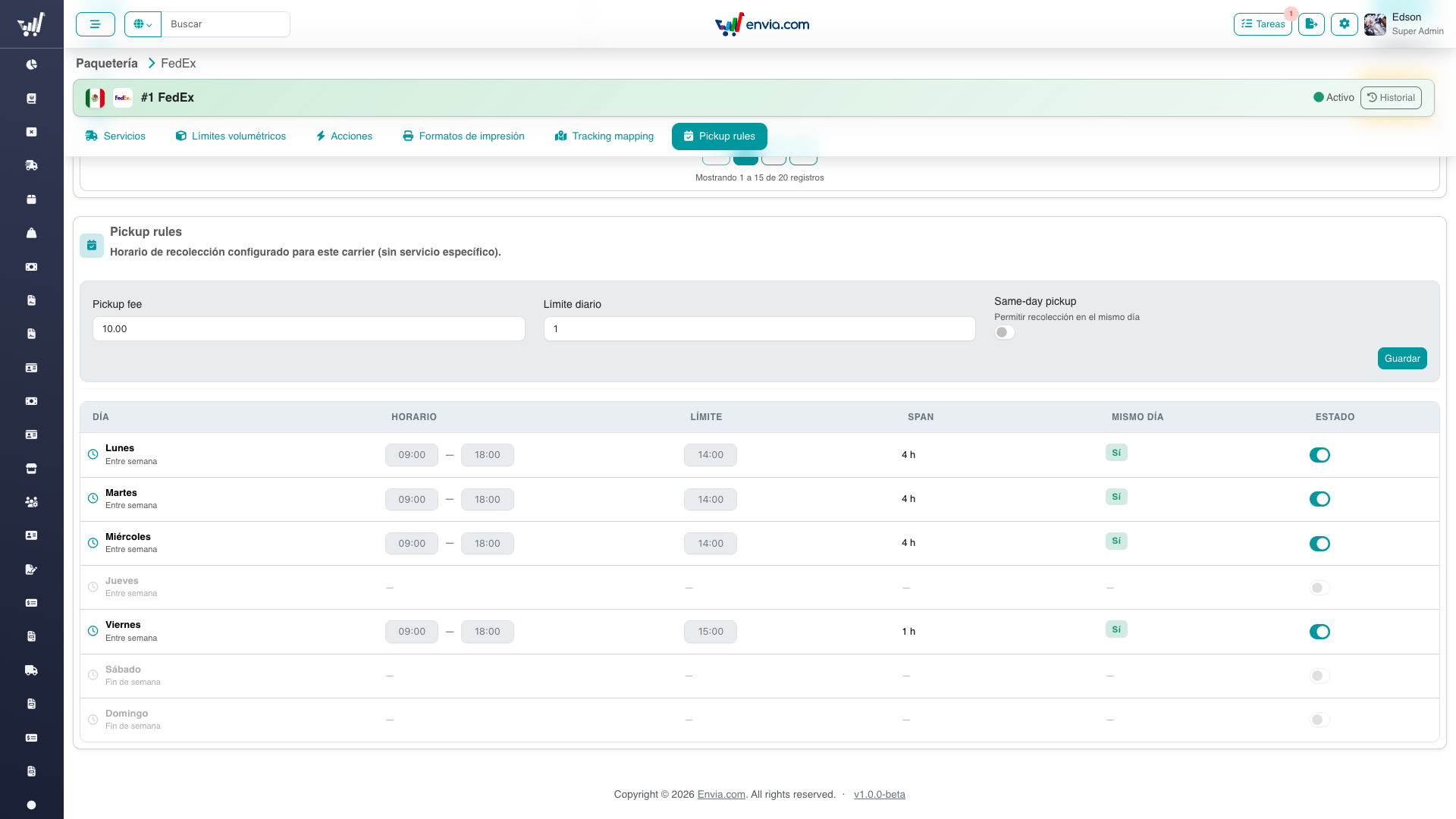
Pickup fee, daily limit, same-day flag, and weekday windows.
Permissions
| Permission | Access |
|---|---|
services-menu | Open the page and read all sections |
carriers-manage | Save volumetric, pickup, print formats, tracking mapping |
carriers-manage-brand | Name, logo, color |
Without carriers-manage, you can still read the operational sections. Without carriers-manage-brand, the name/logo editor is hidden.
Frequently Asked Questions
Is this the same as service volumetric factor?
No. Carrier volumetric sets limits and the carrier default. Each service can still have its own factor on the service configuration page.
Why can't I turn an Action on?
Actions come from the carrier integration catalog. This screen only displays them.
Where do I change prices?
On the service page, not here. See Pricing & Costs.
Related
- Carriers Overview — list and permissions
- Service Configuration — per-service costs and prices
- Technical Documentation — API and UI for developers